Upgrade NAV to Dynamics 365 Business Central
AMS Dynamics 365 upgradeS
Upgrade Dynamics NAV to Business Central
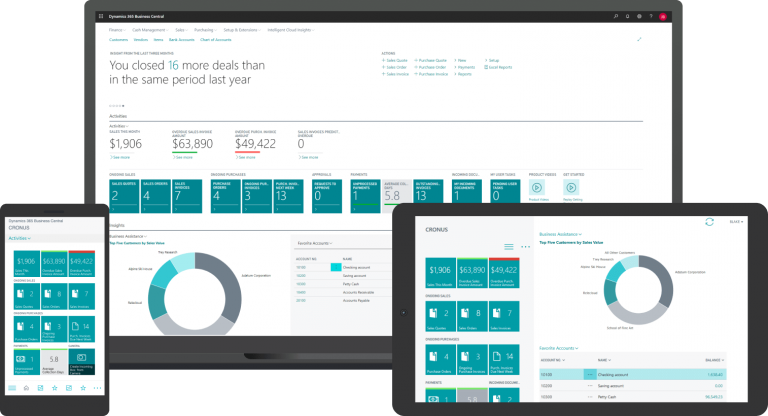
- An easy to use, faster system
- Accessible from anywhere
- Fully supported by Microsoft
Why should I upgrade Dynamics NAV to Business Central?
- Quite simply it’s a big improvement on previous versions of NAV / Navision
- It’s much faster and more intuitive to use
- You can access Business Central anywhere on any device
- There are lots of new integrations and extensions to streamline your system
- It’s scaleable with your business

Looking to upgrade Dynamics CRM to Dynamics 365 instead ?
How does upgrading to Business Central work?
Each upgrade is different, so the first step is to chat about your current system
We decide together whether you need a simple upgrade or a full rebuild
We schedule your upgrade work to cause minimum business impact
Do I have to upgrade Dynamics?
- You could continue to use your old version of Dynamics NAV and if you know the system really well, you might be able to keep it maintained. However, once Microsoft stop releasing fixes for the product, you stand a greater chance of having security problems, or failures.
-
Microsoft sets limited lifespans for their products and depending on your version you’ll soon not be able to get support for your product.
- Upgrading may cause some upheaval, but once you upgrade you’ll never look back.
When does my NAV version stop being supported by Microsoft?
| Product | Start Date | Mainstream Support End |
|---|---|---|
| Dynamics NAV 4.0 | 12/12/2004 | 12/01/2010 |
| Dynamics NAV 5.0 | 01/04/2007 | 10/04/2012 |
| Dynamics NAV 2009 | 12/02/2009 | 13/01/2015 |
| Dynamics NAV 2013 | 19/12/2012 | 09/01/2018 |
| Dynamics NAV 2015 | 17/12/2014 | 14/01/2020 |
| Dynamics NAV 2016 | 03/01/2016 | 13/04/2021 |
| Dynamics NAV 2017 | 27/10/2016 | 11/01/2022 |
| Dynamics NAV 2018 | 01/12/2017 | 10/01/2023 |
How long will it take?
Do you have lots of customisations?
Moving to the cloud from on-premise will mean reengineering your customisations to work on Microsoft’s cloud. However, you might find some of these customisations are now built in to Business Central or there are pre-made extensions to download.
Is this an opportunity to make improvements?
If your system hasn’t been updated in a while, and your processes and business needs have changed, you should consider a rebuild. In some cases this could take less time than a complex upgrade, and then, at the end, you have a system fit for your current needs
- A simple upgrade can take just a couple of days
- Most upgrades take place over a 2 week period
- Larger system rebuilds can be staged over a number of milestones and can take 2 months or more.
- Broadly speaking, upgrading from an old on-premise version to the latest on-premise version is easier and quick than upgrading to the cloud-based version
Supported NAV versions
Dynamics NAV 4.0, 5.0, 2009, 2013, 2015, 2016, 2017, 2018
Find out the best way to upgrade your Dynamics NAV to
Microsoft Dynamics 365 Business Central
A systems guru will get straight back to you.
No obligation and No hard sell
Or call us on 01422 824831
email: hello@allmysystems.co.uk